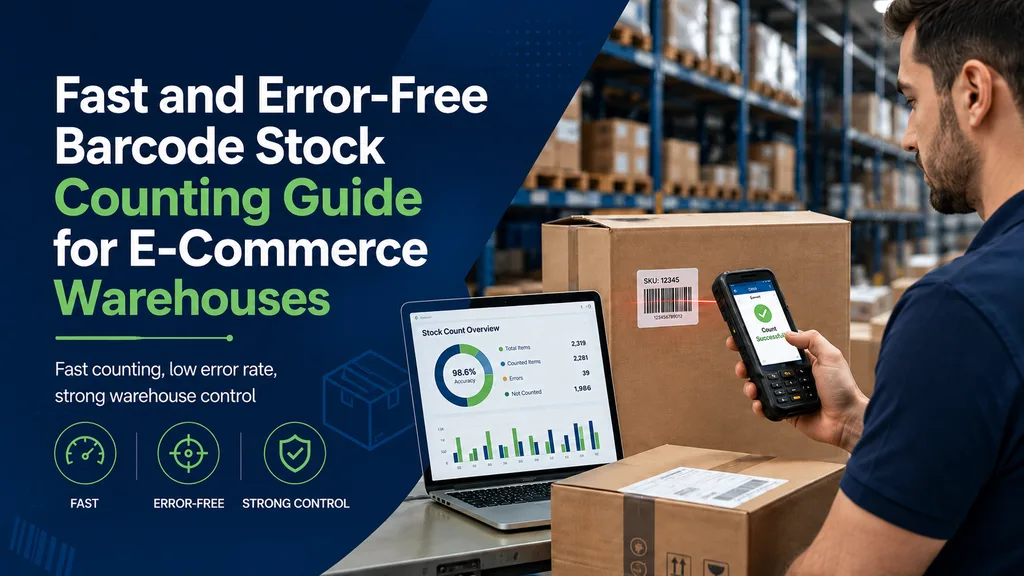
A Fast and Error-Free Barcode Stock Counting Guide for E-Commerce Warehouses
Why Is Stock Counting Critical in E-Commerce Warehouses?
What happens when counting season knocks on the door? In a warehouse operating with high SKU volume, the same worries come to most operations managers' minds: errors from paper lists, the same shelf being counted twice, and shipping traffic grinding half to a halt because of the count. Yet the numbers point to another way. While the average error rate in manual data entry sits at 3-5%, with barcode scanning that rate drops below 0.1%; the accuracy of stock tracking also rises above 99%. Automated inventory management tools, meanwhile, boost operational efficiency by up to 50% while visibly reducing the manual workload.
So what will this guide give you? A step-by-step road map to set up your e-commerce warehouse stock counting process without stopping operations, software criteria to minimize the margin of error, and a practical checklist that delivers variance reports to management instantly. The goal is clear: when a team works simultaneously with a barcode stock counting analysis software that runs on camera, handheld terminal, location-based and online/offline, the count is completed without operations ever stopping.
Stock accuracy isn't only about keeping the warehouse ledger tidy. It's tied directly to business outcomes. Incorrect stock data turns into cancellations and returns because of products that appear "in stock" on the site but aren't on the shelf, into customer dissatisfaction, into lost sales. The numbers show the scale of this picture clearly: global stock distortion — shrinkage, overstock, and shortages taken together — costs businesses a total of $1.6 trillion a year. Stock count management is not just warehouse stock tracking; it is also a multi-functional business function that directly affects customer satisfaction, financial performance, the efficient use of resources, and even the capacity to expand into new markets. In other words, reliable inventory management and disciplined stock tracking are a health indicator not just for the warehouse but for the entire business.
The Hidden Costs of Manual Counting
The visible burden of paper-based counting is time. The real cost, however, mostly stays hidden. A 3-5% error rate may not look big on its own; but across an inventory of tens of thousands of items, it turns into duplicate counts, shelves left uncounted, and the obligation to suspend shipping until the count is done. What's more, this isn't only a big-warehouse problem. 43% of small businesses still track their stock with manual methods, and this leads to losses of up to 11% of annual revenue. So a few hours' delay at the counting table comes back as a much larger figure in the balance-sheet footnotes.
What Is Barcode Stock Counting and How Does It Work?
Most of these losses feed from a single root cause: data being typed into a keyboard by hand. Barcode stock counting software removes exactly this step. By definition, barcode stock counting is "carrying out stock control by scanning the barcode labels placed on products with barcode readers (usually handheld terminals or mobile devices)"; the aim is matching each product with the digital system and verifying it on a location basis.
In practice, the flow is simple. The staff member heading to the shelf scans the label with a barcode reader or a phone camera, and the system instantly compares that product with the record in the inventory. Thanks to mobile barcode scanning, the count is completed in the field, while the product is still on the shelf. This automatic matching pulls manual entry's 3-5% error rate below 0.1% and lifts the stock accuracy rate above 99%. A barcode stock counting software is the infrastructure that automatically preserves this accuracy on every scan.
Barcode Counting vs. Manual Counting: Error and Speed Comparison
The difference between the two methods is far deeper than a few lines of margin notes:
- Error rate: Error, which hovers in the 3-5% band with manual entry, drops below 0.1% with barcode scanning.
- Accuracy: Automatic matching raises the stock accuracy rate above 99%; the gap between shelf and system almost closes.
- Speed and efficiency: Automated inventory tools boost operational efficiency by up to 50%, finishing the same job with fewer staff and in less time.
So the advantage isn't just fewer miscounts. Closing more shelves in the same shift and moving forward without suspending shipping are part of it too.
The Step-by-Step Error-Free Stock Counting Process
Even though the numbers show why the barcode method is inevitable, what really determines the result is the process. You decide the right result not at the shelf but at the planning desk. The answer to how error-free stock counting is done in an e-commerce warehouse is a flow that links four clear stages. Here is the road map you can follow without stopping operations:
- Preparation and location coding: Create unique location codes for every shelf, aisle, and bin. This step is the foundation for assigning team members by zone and for tracking who scanned where during the count.
- Team assignment: Instead of piling the count into a single shift, distribute the zones among staff. This way the same shelf isn't scanned twice and responsibility becomes clear.
- Counting (scanning): Scan the barcodes with a handheld terminal or mobile device. The sub-0.1% error and above-99% accuracy advantage we mentioned earlier kicks in at exactly this scanning step. This is the most concrete answer to how to reduce the error rate in stock counting.
- Verification and reporting: Compare the scanned quantities with the expected values in the system, flag the differences, and share the result with the manager.
In an e-commerce warehouse operating 24/7, stopping the entire operation for a full count can cause serious revenue loss. That's why cycle counting makes more sense in most high-volume businesses: you divide the warehouse into zones and count specific areas every day or week. A modern warehouse stock counting app lets you run this cyclical flow without cutting off shipping traffic.
Why Does Location-Based Counting Prevent Duplicate Counts?
Location-based stock counting determines the exact position of each product within the warehouse, enabling team members to work simultaneously and in coordination. While a staff member counts the shelf group assigned to them, the system considers that location closed. This prevents the same product from being scanned again by two different people — that is, it prevents duplicate counting. The result is clear: fewer overlaps, cleaner data, and a noticeable shortening of counting time.
6 Critical Features a Stock Counting Analysis Software Must Have
Setting up the right process matters as much as choosing the right tool to carry that process. When evaluating a stock counting analysis software, reducing the decision to these six criteria makes your job easier: camera counting, handheld terminal support, location-based operation, online/offline use, simultaneous team counting, and detailed reporting. When you look for a stock counting solution for a high-volume e-commerce warehouse and these features aren't present together, you're forced to make an unnecessary trade-off between speed and accuracy in the field. Below we cover what each one does in practice.
Flexible Counting with Camera and Handheld Terminal
Is stock counting with a camera possible? Yes, absolutely. Modern solutions can now turn the smartphone or tablet in a staff member's hand into a barcode reader. Handheld terminal stock counting is the classic method: a durable industrial device reads the barcode and instantly matches the data with the system. The real advantage here is flexibility. On a busy shipping day, if you don't have extra handheld terminals, you can keep the count going by handing out a few phones to the team. Barcode-based systems supported by camera and handheld terminal minimize the risk of error compared to manual data entry, increasing warehouse efficiency. In practice, this shortens the time spent in front of the shelf and keeps device constraints from slowing the count.
Uninterrupted Online and Offline Counting
Warehouses' metal shelves, concrete walls, and high ceilings often weaken the internet signal. So is offline stock counting possible? The answer is critically important: advanced stock counting software, thanks to its ability to work online and offline, offers uninterrupted counting even in areas where the connection drops. Staff keep scanning in the aisle with no signal, and the device accumulates the data locally. When the connection returns, all records sync automatically. This way not even a single scan is lost, and the count doesn't stall midway because of network problems.
Simultaneous Team Counting and Detailed Variance Reports
It's obvious that a large warehouse can't be counted by one person. The software must allow team members to work at different locations at the same time; the data everyone scans must merge in a single center. The real difference, though, emerges after the count is done. The obtained data is analyzed automatically to create location-based variance reports, and these reports can be delivered to management instantly by email or sharing tools. Which shelf has how much deviation, whether the variance is physical or a record error — you see it all in a table in front of you. This reporting depth, which many rival solutions gloss over, turns counting from a data-entry task into a decision-making tool.
When all these features come together under one roof, the picture becomes clear: with the right software, manual counting's 3-5% margin of error turns into accuracy above 99%, and operations continue without ever stopping. Throughout this guide we put three things on the table: a counting road map that doesn't stop operations, the criteria you should look for in software, and the reporting logic that carries post-count variances to management. The next step is seeing this solution on your own floor: you can evaluate the stock counting analysis software that scans millions of barcodes a year by testing it with your own team, with its camera, handheld terminal, and offline counting features.